
How Mobile Account Systems Keep Game Progress Synced Across Devices
Modern mobile games can store player progress separately from the phone or tablet used to play them. Instead of keeping every important record only on local storage, many games connect progress to an authenticated account or cloud-based profile. Google for Developers explains that cloud save systems let players retrieve their game state after switching devices, reinstalling a game, or returning after time away.
This persistence also helps explain why game profiles can exist as identifiable digital accounts outside the original device. For example, IGItems sells Clash accounts through a third-party marketplace. The technical ability to access persistent progress from another device does not mean that transferring ownership is permitted, however. Supercell states that buying, selling, sharing, or giving accounts to other players violates its Terms of Service.
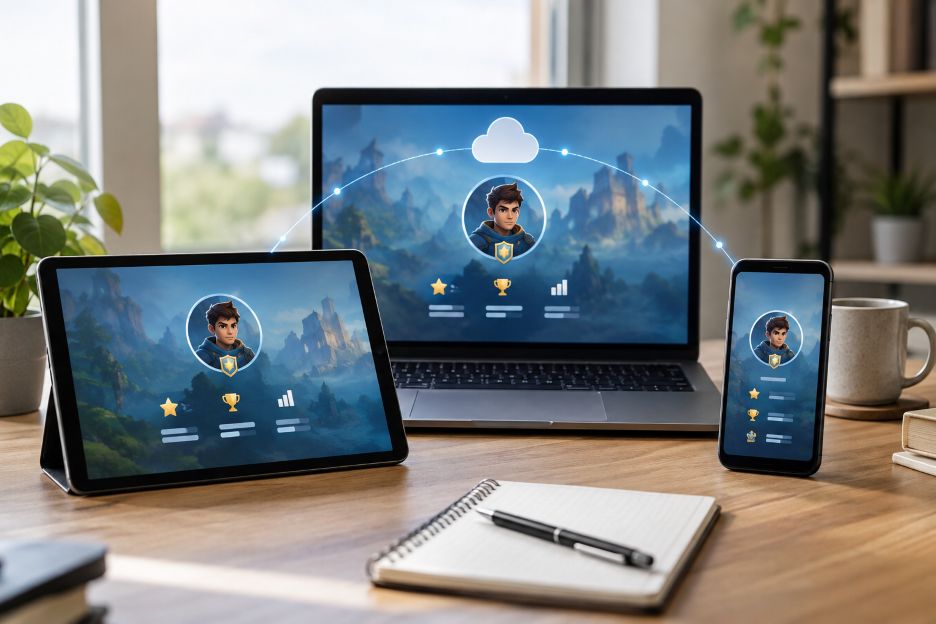
Game Progress Is Increasingly Tied to an Account
A traditional offline game may save progress directly on the device. Delete the app without a backup, lose the phone, or clear its data, and the save may disappear. Account-based mobile games approach storage differently.
The game first identifies the player. It can then connect that identity with saved progress stored away from the physical device. Google for Developers describes cloud saving as a system that stores a player’s game state remotely and retrieves it when the game starts again. Its Saved Games service is designed to let someone begin playing on one device and continue on another.
This distinction is important. The smartphone becomes a way to access the game profile rather than the sole location where that profile exists.
What Does Cloud Saving Actually Store?
Cloud saves can contain the information needed to reconstruct a player’s current position in a game. The exact data depends on how the developer designs the system. It might include progression, completed stages, settings, achievements, or other game-state information.
Google for Developers says its Saved Games service combines game-state data with structured metadata. That metadata can include details such as when the save was last updated. The game itself remains responsible for interpreting the saved information.
Apple offers a similar model. On supported games, iCloud and Game Center can keep progress, scores, and game saves updated across Apple devices. Players generally need to use the same Apple Account for the relevant services on each device.
Authentication Tells the Server Who Is Playing
Cloud storage alone is not enough. A game also needs a reliable way to determine which profile belongs to the person opening the app. That is where authentication enters the process.
Depending on the game, authentication may use a platform identity, an email address, or the publisher’s own account system. Once authentication succeeds, the service can locate the associated profile and restore the appropriate progress.
Google for Developers notes that games can use Play Games authentication while maintaining their own in-game identity system. Developers may also use another identity provider or a custom backend. This gives studios flexibility in how they connect players with persistent records.
Device Linking Makes Switching Hardware Easier
Device linking builds on authentication. Instead of treating a new phone as the beginning of a new game, the system recognizes that an existing player is signing in from different hardware.
Supercell provides a clear example. Supercell says Supercell ID lets players access their progress across supported mobile devices. Its system can also restore progress after a game is installed on a new device.
The same idea can work across different platforms. Google for Developers recommends cross-platform cloud saving for games designed to move between environments such as Android, iOS, and PC. The goal is continuity. A player’s progress follows the authenticated profile instead of being permanently tied to one installation. This wider shift toward connected play can also be seen in mobile tools for tracking game progression, which allow players to review statistics, monitor progress, and stay connected to gaming activity while away from their main setup.
Server-Side Profiles Add Another Layer
Many connected games rely on remote services for important parts of the player profile. From the user’s perspective, this can make changing devices feel simple. Sign in correctly, and the game can identify the existing account rather than treating the new installation as a blank profile.
This model also reduces dependence on one piece of hardware. A damaged or replaced phone does not necessarily mean lost progress. Google for Developers specifically identifies persistence after a device is lost, destroyed, or replaced as an advantage of cloud saving.
Guest accounts can behave differently. Google’s documentation notes that guest-mode progress may remain tied to one device when it is not connected to a cloud identity. That makes account linking an important step in games where players want reliable recovery.
What Happens When Two Saves Conflict?
Synchronization is not always seamless. A player might use a game offline on one device while another device has a newer cloud save. The system then has to decide which version should become authoritative.
Google for Developers recommends that games establish a conflict-resolution policy when local and cloud progress differ. Depending on the implementation, the game may restore an existing cloud profile or ask the player which progress should be retained.
Offline play creates another timing issue. Google’s Saved Games service can work with saved information while a device is offline, but synchronization with its servers waits until connectivity returns. The remote version can then be updated.
Persistence Does Not Automatically Mean Transferability
A persistent profile can technically be accessed from different hardware, but technical portability and permitted ownership transfer are separate questions. Publishers decide what players may do with accounts through their terms and account policies.
This matters when persistent profiles appear on third-party marketplaces. A listing may describe progression, levels, resources, or other account characteristics, yet the publisher can still prohibit transferring that profile between people. For Clash Royale specifically, Supercell warns that transferred accounts may face suspension or permanent closure and says it cannot guarantee the security of accounts passed between players.
Why Account-Based Progress Will Keep Mattering
Players increasingly expect progress to survive a new phone, a reinstall, or a switch between compatible devices. Cloud saves, authentication, device linking, remote profiles, and synchronization work together to make that possible.
The central idea is straightforward. The device runs the game, while the account provides continuity. As cross-device gaming expands, reliable identity and synchronization systems will remain important parts of mobile game design. They give players convenient access to persistent progress, while publisher rules continue to determine who may access or transfer each account.
